How to Delete Your Account
You can permanently delete your Lunelle account at any time directly from the app. Follow the three steps below. All of your information will also be permanently deleted.
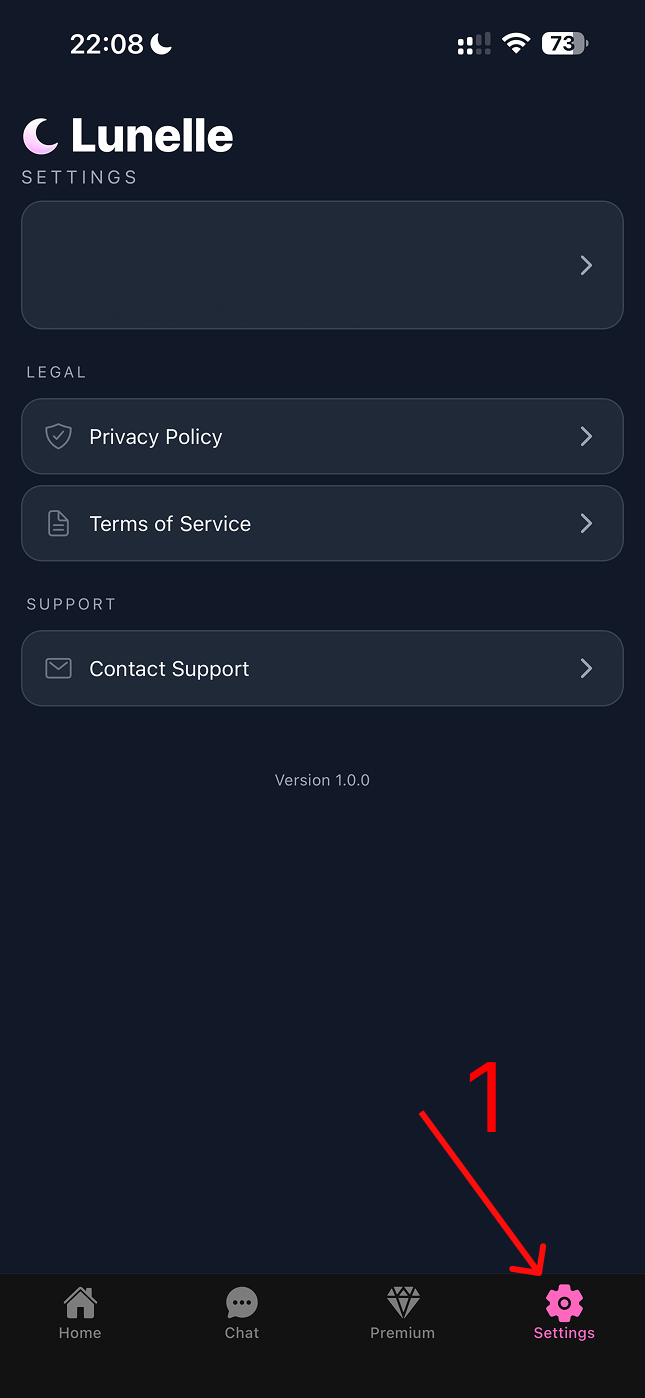
Step 1
Step 1 — Open Settings
Launch the Lunelle app and navigate to the Settings tab.
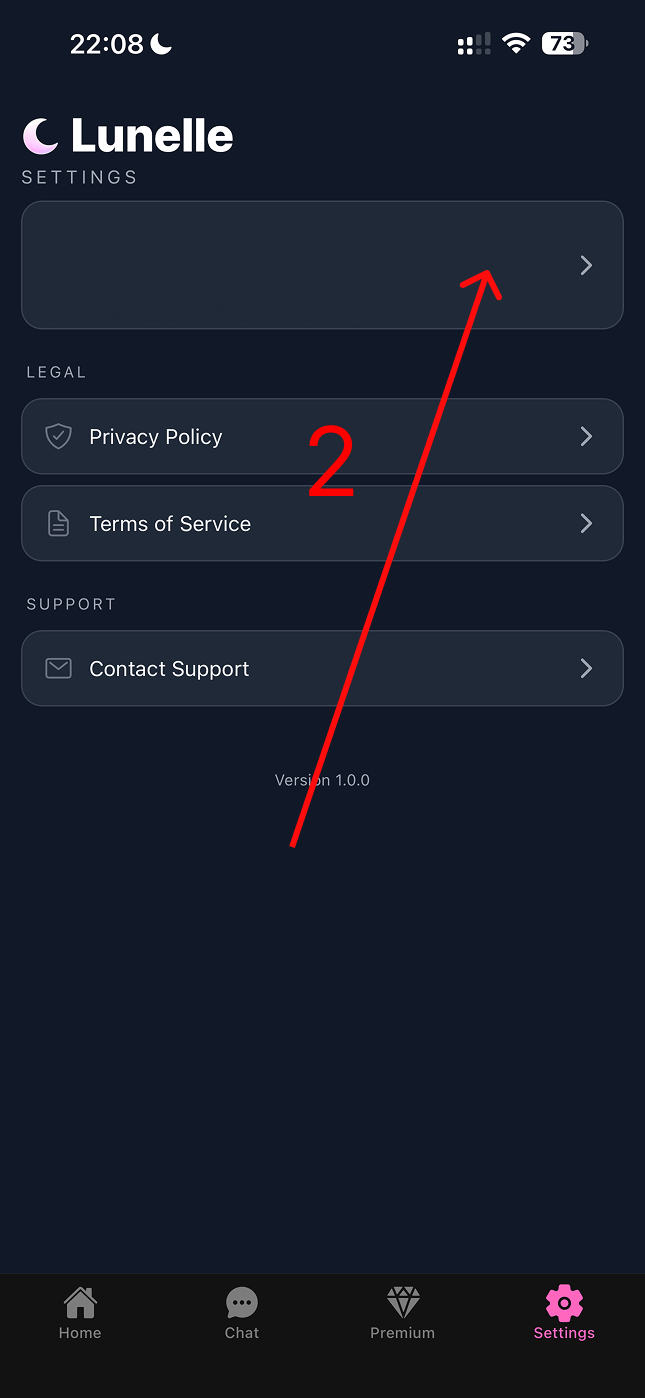
Step 2
Step 2 — Open your Profile
In Settings, click the Profile button to open your account details.
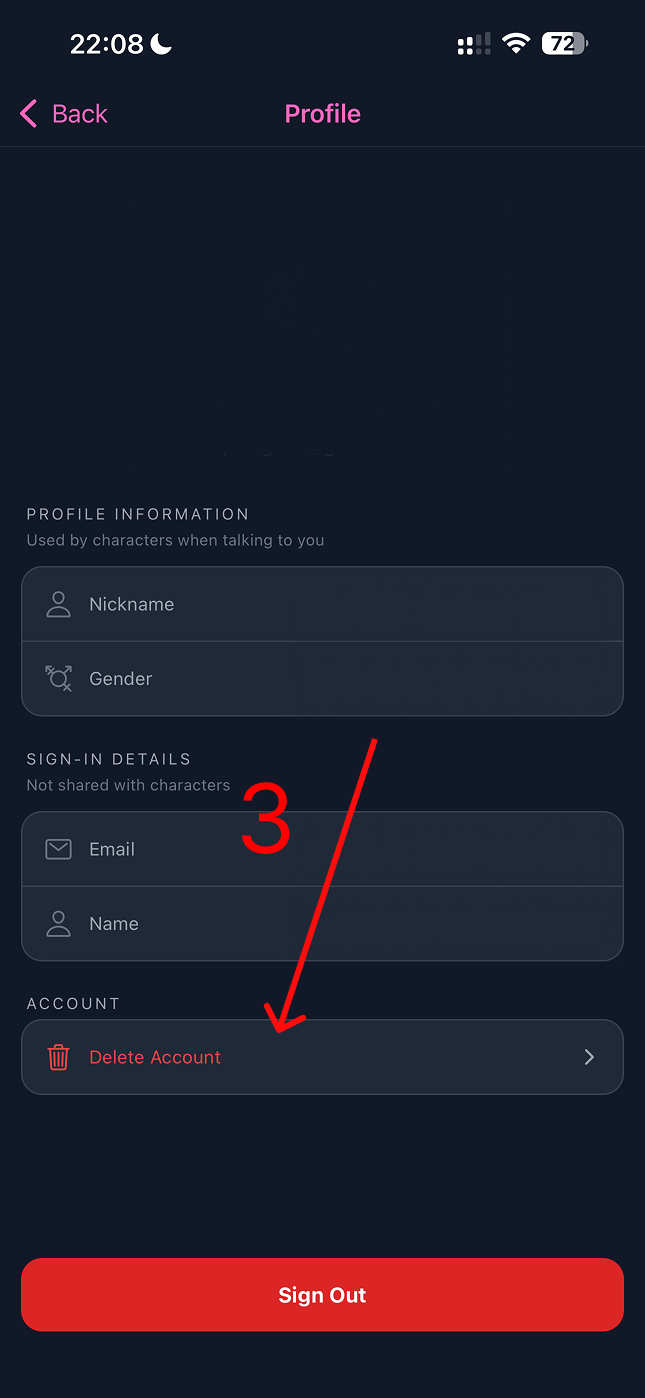
Step 3
Step 3 — Delete Account
Scroll down and tap "Delete Account", then confirm. Your account and all associated information will be permanently deleted.
Need help?
If you run into any issues deleting your account, email us at contact@lunelle.ai and we'll take care of it for you.